

FMS App: What a Functional Movement Screen App Does (And How to Choose One)
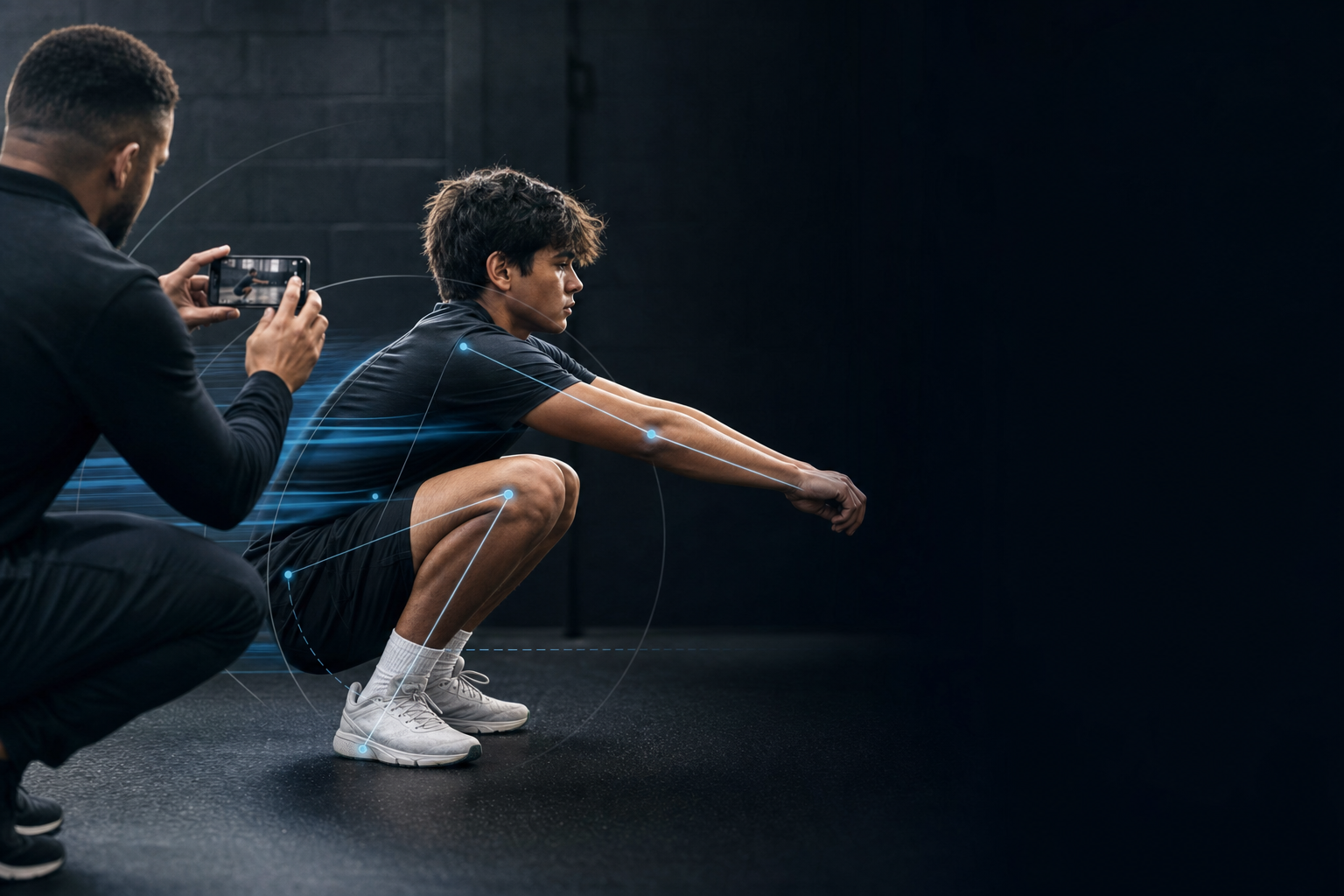
FMS here means the functional movement screen, a seven-test movement assessment used in sport and fitness settings. It does not mean fleet management, facility management, or flight management software. If you landed here looking for one of those, this is the wrong page.
An FMS app is software that walks a coach or clinician through those seven tests, records a score of 0 to 3 for each one, totals a composite out of 21, and keeps the results so you can compare them later. Most of them also record video of each test as you go.
This page covers what the seven tests are and how the scoring works, what the research does and does not support, a checklist for evaluating an app before you pay for it, and the things an app cannot do no matter what the marketing says.
One frame worth setting up front. An app makes a screen faster to run and more consistent to record. It does not turn the screen into a diagnosis, and it does not decide who plays. Those limits matter, and the research section below is blunt about why.
The short version
If you only read one block, read this one.
- An FMS app digitizes the seven-test functional movement screen, its 0 to 3 scoring, and the 21-point composite.
- The software is buying you a record, not a better test.
- The screen is reliable between raters. Whether a low score predicts injury is genuinely contested in the research.
- The practical payoff is consistency and history, not prediction.
- Video capture is the single feature that matters most, because it lets you re-check your own scoring later.
- A low score is a reason to follow up. It is never a diagnosis, and it is not a playing decision a coach should make alone.
What the functional movement screen actually is
The functional movement screen is a set of seven multi-joint movement patterns designed to rate how well someone moves, using sequenced upper and lower body movements that require coordinated control of the trunk and pelvis. Each pattern is scored from 0 to 3. Add the seven together and a total score of 21 is the highest anyone can achieve.
The scoring scale is deliberately coarse. A 3 means the pattern was completed to the standard with no compensation. A 2 means it was completed with compensation. A 1 means it could not be completed. A 0 means the movement produced pain, and that changes everything about what happens next.
Several of the tests are scored on each side separately. The lower of the two sides is what carries into the composite. That detail matters when you are comparing an app to a paper form, because an app that averages the sides is not scoring the screen correctly.
| Test | What it looks at | Common compensation to watch for |
|---|---|---|
| Deep squat | Whole-body mobility and control through hips, knees and ankles | Heels lift, torso folds forward, or the bar drifts ahead of the feet |
| Hurdle step | Single-leg stance control and step-through mechanics | Hips rotate, the torso leans, or the stance knee drifts inward |
| In-line lunge | Balance and control in a split stance | Loss of balance, trunk sway, or the back knee never reaches the floor |
| Shoulder mobility | Reciprocal shoulder range in both directions | A large gap between the fists, or one side noticeably tighter than the other |
| Active straight-leg raise | Hip and hamstring range with the pelvis held still | The opposite leg lifts, or the pelvis rotates to buy extra range |
| Trunk stability push-up | Trunk control under a symmetrical load | Hips sag or the trunk moves in segments instead of as one piece |
| Rotary stability | Coordinated control across the trunk in a quadruped position | Loss of balance, or the movement cannot be completed in the same plane |
What an FMS app does that a clipboard does not
Four concrete jobs, and they are all about the record rather than the test itself.
First, it standardizes the prompts. The same instruction and the same scoring criteria appear in the same order for every athlete, which removes the slow drift that creeps in when you run the same screen forty times in a week.
Second, it captures video per test. This is the one that changes how the screen behaves over a season. A score on paper tells you what you decided. A clip tells you why, and it lets you check yourself in March against what you scored in August.
Third, it stores results per athlete. A retest becomes a comparison rather than a fresh guess. Without that, the second screen is just another isolated number.
Fourth, it rolls a roster up. When you have screened thirty athletes in a compressed preseason, the useful output is a sorted list of who needs a follow-up conversation, not thirty separate forms in a folder.
The failure mode all of this fixes is mundane and extremely common. The paper scores from week one are illegible or missing by week eight, and nobody can reconstruct why an athlete got a 1.
That record problem is the one Greater was built around. Film the movement on a phone, get AI feedback on what the video shows, and keep athletes, teams and results inside one system rather than a folder of forms.
What the research says, honestly
This is the part vendor pages skip. The evidence on the functional movement screen splits cleanly into a strong half and a contested half, and knowing which is which should shape what you expect from an app.
The strong half: raters agree with each other
A systematic review and meta-analysis found the screen has excellent inter-rater and intra-rater reliability. In plain terms, two trained people watching the same athlete tend to land on the same score, and the same person scoring twice tends to be consistent. That is a real strength, and it is the property an app is leaning on when it promises standardized scoring.
Reliability holds up reasonably well even across experience levels, though not evenly. In one study where novice and expert raters scored the seven tests from video, six of the twelve individual test scores showed perfect agreement, three showed moderate agreement at 66 percent, and three showed only slight agreement at 33 percent. The squat and the rotary stability tests were among the least consistent. Those are the ones to slow down on.
The contested half: does a low score predict injury
Here the literature openly disagrees with itself, and anyone selling you a screening tool should be telling you that.
The same review that confirmed good reliability also reported that the odds of sustaining an injury were 2.74 times higher with a composite score of 14 or below, with a confidence interval of 1.70 to 4.43. On that reading, the screen has predictive value.
A separate meta-analysis published the same year reached the opposite conclusion, stating that the strength of association between composite scores and subsequent injury does not support the screen's use as an injury prediction tool.
A later meta-analysis landed in the middle and said so. It found a pooled odds ratio of 1.86 with substantial heterogeneity, an I-squared of 70 percent, and a significant association in only 5 of the 12 studies it pooled. Its stated conclusion is that whether a low score is associated with increased injury risk is unclear.
Three serious reviews, three different answers. That is not a reason to throw the screen out. It is a reason to stop treating a composite score as a forecast.
The part almost nobody disputes: scores respond to training
A systematic review and meta-analysis of 40 trials covering 1,604 athletes found moderate-certainty improvements in composite scores across several training types. Core stability training produced a mean difference of 2.89 points, neuromuscular training 2.31, resistance training 2.21, integrated training 1.92 and functional training 1.74. A standardized warm-up protocol showed a smaller effect with high inconsistency and very low certainty.
That is the most useful finding for a coach. Composite scores move when you train mobility, control and trunk stability. Which means the screen works well as a progress measure even where its value as a risk forecast is unsettled.
So the buying logic is this. Buy the app for consistency and history. Do not buy it for prophecy.
Can an app score the screen from video?
Yes, with caveats, and the caveats are specific enough to be worth separating into two different claims.
The first claim is that a human can score the seven tests from video rather than live. That is not something software invented. The reliability study described above did exactly that, with all raters scoring from video recordings. Video scoring is a legitimate method, and the per-test agreement numbers tell you where to be careful.
The second claim is much bigger, and it is the one to interrogate. Some tools promise automated joint-angle measurement from phone footage. That is a different technology with a narrower evidence base.
A systematic review comparing markerless motion capture against marker-based laboratory systems found markerless approaches are most accurate for sagittal-plane lower-limb kinematics, and least precise for coronal and transverse-plane joint angles. Knee valgus, meaning the knee collapsing inward, showed substantial systematic error and variability specifically. The review describes error at or below 5 degrees as acceptable for lower-limb kinematic evaluation, and 5 to 10 degrees as acceptable for gross movement screening with reduced precision. Its conclusion is that further validation is required before widespread implementation.
Translated for a gym floor, that means two things. Trust a phone-based tool to help you see and compare front-to-back movement, like squat depth or trunk fold. Be more skeptical of anything claiming precise side-to-side knee-collapse angles from a single camera.
The safe posture is to treat automated output as a first pass that a human confirms. An app that positions itself that way is being straight with you. An app that positions its numbers as measurement-grade is overselling what the current evidence supports.
What to look for in an FMS app
Use this as a vendor call checklist. The right-hand column is the question to ask out loud, because most of these capabilities look identical on a marketing page and differ a lot in practice.
| Capability | Why it matters | Question to ask |
|---|---|---|
| Per-test video capture | Lets you re-check a score months later instead of trusting memory | Can I export the raw clips, not just the scores? |
| Side-by-side retest comparison | A screen is only useful as a trend across a season | Can I see week 1 and week 10 on one screen? |
| Scoring criteria at the point of scoring | Removes rater drift across a long roster | Does the scoring standard appear while I am scoring, or do I need the manual? |
| Separate side scoring | The screen scores each side and counts the lower one | Does it score left and right separately rather than averaging them? |
| Pain recorded as its own field | Pain ends the test and triggers a referral, whatever the rest of the score says | Is pain a separate flag, not just a zero? |
| Roster-level view | You are screening thirty athletes, not one | Can I sort a roster by flagged athletes? |
| Data export | Your screen history should outlive your subscription | Can I export scores and video myself, without contacting support? |
| Offline capture | Gyms, fields and pool decks have unreliable signal | Does it capture without a connection and sync later? |
| Access controls | You may be handling minors and medically adjacent notes | Who can see what, across athletes, parents and staff? |
If you are evaluating screening software as part of a wider tool stack rather than on its own, this buyer's guide to athletic trainer software covers the categories that usually sit next to it.
What an FMS app cannot do
Four hard limits, and none of them are solved by a better app.
It does not diagnose. A composite score is a movement observation, not a clinical finding, and nothing in the score tells you what tissue is involved or why.
It does not clear anyone to play. Return-to-play decisions belong to an athletic trainer, physical therapist or physician, not to a number on a tablet.
It does not predict what will happen to an individual athlete. The reviews above disagree about whether low scores are associated with injury at the group level. None of them support a prediction about one person.
It does not handle pain. Any pain response during a test ends that test and sends the athlete for a proper evaluation, regardless of how the other six patterns scored. An app should make that referral obvious, not bury it inside an average.
One administrative note. The functional movement screen is a formally defined protocol owned by the organization that developed it, and there is a certification pathway attached to it. If you need to report official scores, or your setting requires a certified screener, confirm the current requirements with that organization directly rather than assuming an app's built-in scoring satisfies them.
Using the results
A screen that does not change anything is a data-collection habit, not a coaching tool. What should change depends on which patterns scored low.
Low mobility patterns, meaning shoulder mobility and the active straight-leg raise, bias that athlete's warm-up and accessory work toward range. Low stability and control patterns, meaning the trunk stability push-up and rotary stability, bias toward trunk and control work.
That split is not arbitrary. Core stability and neuromuscular work produced the largest score improvements in the training review above, so those categories are the ones with the most evidence behind them when a screen flags a control problem.
Whatever retest interval you pick, the app should be enforcing the conditions rather than leaving them to memory. A screen run straight after a hard conditioning block reads worse for reasons that have nothing to do with movement quality, so the tool is doing its job if it records when and where each screen happened.
Once the screen is producing scores you trust, the next question is what the training year around it looks like. This weekly template shows how to sequence a season.
A low squat or hurdle-step score often points at knee control, so it is worth reading alongside the landing and deceleration work in knee injury prevention.
A low active straight-leg raise usually starts a hamstring conversation. This Nordic curl team program is the most evidence-backed place to take it.
Running this across several teams at once is a different problem from running it with one group. Greater for schools and athletic programs is built for that scale.
Keep your movement records in one system
Film the movement on a phone, get AI feedback on what the video shows, and keep every athlete, team and result in one place.
Try Greater freeFrequently asked questions
What does FMS stand for in an app?
In a sport or fitness context, FMS means the functional movement screen, a seven-test movement assessment scored from 0 to 3 per test for a composite out of 21. The same acronym is also used for fleet management, facility management and flight management software, which is why search results for the term are mixed.
What is a good FMS score?
The composite runs from 0 to 21, and a score of 14 or below is the threshold most research uses when testing whether low scores are linked to injury. Treat 14 as a research cutoff rather than a pass or fail line. Any individual score of 0, meaning pain during a test, matters more than the composite and should trigger a referral regardless of the total.
Do FMS apps predict injuries?
No, and the research disagrees about whether the screen itself does. One meta-analysis found roughly 2.7 times higher odds of injury with a score of 14 or below. Another concluded the association does not support using the screen as an injury prediction tool. A third called the relationship unclear, with substantial variation between studies. An app can make scoring consistent, but it cannot resolve a question the underlying evidence has not settled.
Can you score an FMS from a phone video?
A trained person can score the seven tests from video, and published reliability work has done exactly that. Automated joint-angle measurement from phone footage is a separate claim with a narrower evidence base. Current reviews find markerless systems most accurate for front-to-back movement and least precise for side-to-side angles such as knee collapse, so automated output is best treated as a first pass that a human confirms.
Does an FMS app need to be certified software?
No. An app can guide you through the seven tests and record 0 to 3 scores without any formal affiliation. Certification attaches to the person running the screen, not to the software. If your setting requires a certified screener, or you need to report official scores, confirm the current requirements with the organization that owns the protocol before assuming an app's built-in scoring satisfies them.