

Athletic Apps: The Five Kinds, and Which One You Actually Need
An athletic app is not one thing. The phrase covers at least five different kinds of software, and they solve five different problems.
That is why so much of the frustration in this category is not about picking a bad product. It is about picking the wrong category. A coach who needs to get a written program onto thirty phones buys a monitoring platform. An athletic director who needs a shared calendar buys training software. Both are disappointed, and neither bought something broken.
This page maps the whole category. The five kinds and what each one is for, what the research actually supports about them, a checklist of questions to ask a vendor, and a plain account of what none of them can do.
One frame before the map. No app trains anybody. What software can do is make the work visible, repeatable, and comparable over time. That is a smaller claim than most of this category makes. It is also the claim that holds up.
The short version
If you read one block on this page, read this one.
- Athletic apps split into five kinds: program delivery, athlete monitoring, movement and video analysis, testing and performance data, and team logistics.
- Most buyers choose the wrong kind rather than the wrong product. Name the thing that breaks in a normal week first.
- App-based behavior change is modest, and the studies of programs shorter than three months reported larger effects than the studies of longer ones.
- A short daily self-report tracks how an athlete is responding to training with more sensitivity than most objective measures, and it costs nothing.
- Phone-video movement analysis is strongest for front-to-back motion and considerably weaker for side-to-side angles such as knee collapse. Treat automated output as a first pass a coach confirms.
- Higher adherence to an injury prevention program goes with lower ACL injury rates. That is an argument for software that shows you whether the work got done, not evidence that software lowers injury rates.
- Load numbers and ratios are associated with injury risk. They do not forecast an injury for an individual athlete.
- No app diagnoses anything and no app decides who plays. Pain or a new symptom is a referral, not a data point.
What counts as an athletic app
Search for athletic apps and you get consumer fitness trackers, team management platforms, coach programming tools, video analysis tools, and league scheduling software in one list. They are all described with the same language. Very few of them do the same job.
Part of the confusion is naming. There are products whose names are close to the category term itself, including at least one built for track and field team administration rather than training. That makes the search results read like a brand list when they are really a category.
So sort by the job, not the label. Ask what the software is supposed to make happen, then find the kind of app that does that. Here is the map.
The five kinds of athletic app
Each of these does one job well. Most products lean into one and add thin versions of the others.
| Kind | What it does | Who it is for | The question it answers | How you know you picked wrong |
|---|---|---|---|---|
| Program delivery | Sends the plan to the athlete and records what got done | Coaches, trainers, teams | Did the work happen | You are still texting workouts |
| Athlete monitoring | Collects daily readiness, soreness, sleep, and load | Staff responsible for more athletes than they can watch | How is this athlete responding | You are collecting data nobody reads |
| Movement and video analysis | Captures and reviews how the athlete actually moves | Coaches, trainers, return-to-play staff | Does this look right | You have clips but nothing to compare them to |
| Testing and performance data | Records jumps, sprints, lifts, and velocity over time | Anyone retesting on a schedule | Is anything improving | Every test is a fresh guess |
| Team logistics | Rosters, scheduling, availability, communication | Athletic directors, team managers | Who is where, and when | You bought training software to fix a calendar |
Program delivery
This is the workhorse. A coach builds a plan once, assigns it to a team or a position group or one returning athlete, and the athlete opens a phone to see today's work and log it.
The failure mode is paper. Printed cards do not come back, whiteboards get erased, and by week eight nobody can say what anyone actually did. If your honest answer to "who trained on Tuesday" is a shrug, this is your category.
Athlete monitoring
Daily check-ins, soreness and sleep logs, session ratings, and load totals. The point is to notice the athlete who is drifting before it becomes a problem.
The failure mode is a dashboard nobody opens. Monitoring only works if somebody acts on it on a fixed day each week. Collect the smallest amount of data you will genuinely read.
Movement and video analysis
Video of a lift or a landing, kept against the athlete and the date, with some form of automated first pass over it. The value is not the clip. It is the comparison to the same athlete eight weeks earlier.
The failure mode is a camera roll. Thousands of clips with no athlete, no exercise, and no date attached is not a record of anything.
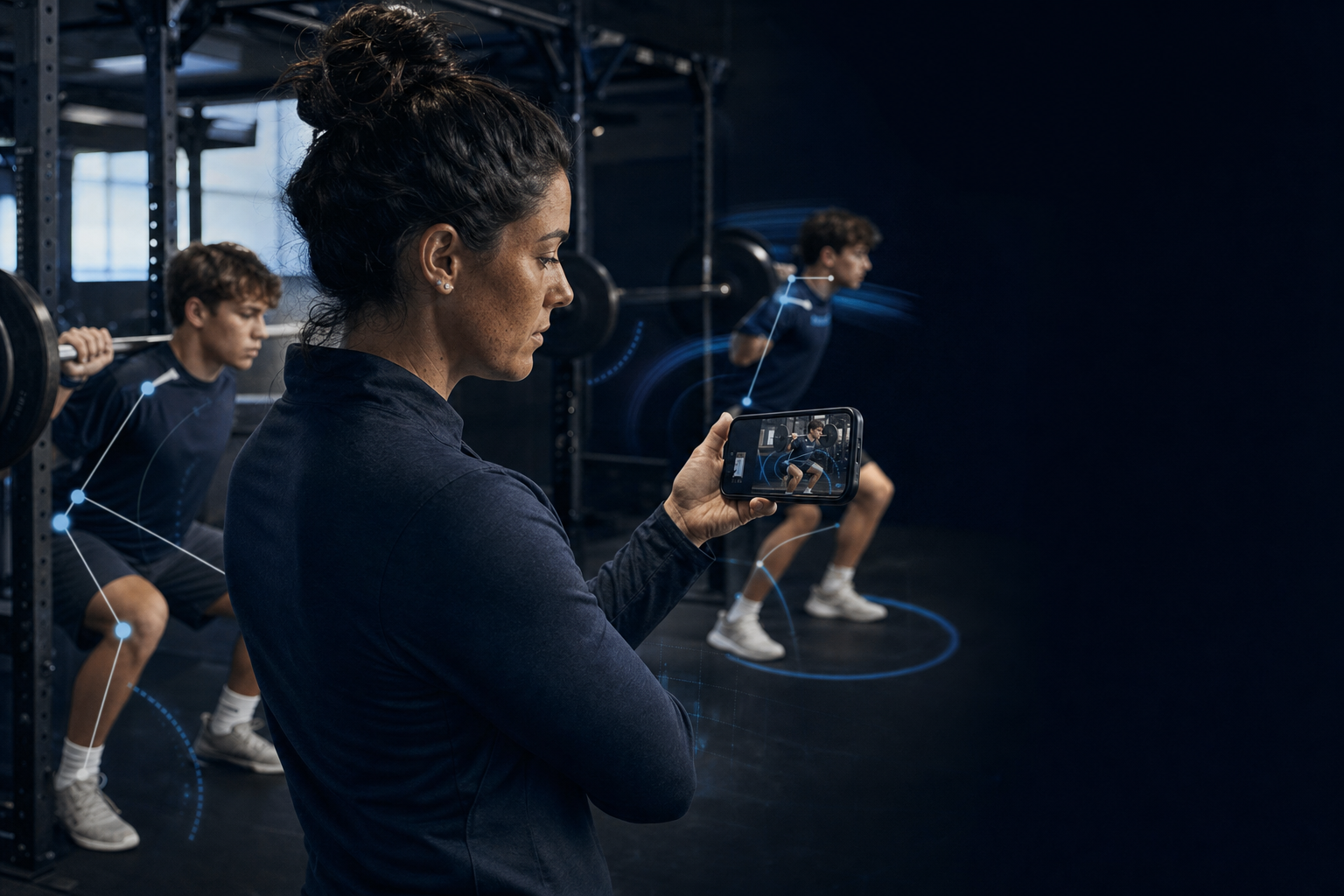
This is the part of the category Greater works in. Athletes record key lifts on a phone, Greater runs a first-pass analysis of the movement and flags what a coach should look at, and the clip stays attached to that athlete and that session. You can see how that works here.
Testing and performance data
Vertical jumps, sprint splits, bar velocity, estimated maxes. Numbers you intend to collect again on a schedule.
The failure mode is a test with no retest. A single number is trivia. The same test under the same conditions ten weeks later is information.
Team logistics
Rosters, practice schedules, availability, parent communication, facility bookings. Nothing to do with training content.
The failure mode is buying a training platform to solve a scheduling problem. It will do the scheduling badly and you will pay for features you never open.
What the research actually supports
This is the section the vendor pages leave out. The evidence on this category is genuinely mixed, and knowing where it is thin is what stops you overpaying for precision you will not get.
App-based behavior change is real but modest
A meta-analysis of randomized trials of smartphone physical activity apps found nine eligible studies covering 1,740 participants, and pooled six of them for steps per day. That pool showed a non-significant increase of about 477 steps per day in the app groups. The same review reported that programs shorter than three months were more effective than those evaluated over longer periods. Its own summary describes modest support for the apps.
Two things follow. The app is not the intervention, the coaching is. And the shorter programs in that review posted the bigger effects, so do not assume month one carries into month six.
The cheapest monitoring input is the best supported
A systematic review of 56 studies comparing subjective and objective measures of athlete wellbeing found that the two generally did not correlate, and that the subjective measures reflected both acute and chronic training load with better sensitivity and consistency. Its conclusion is that practitioners may use subjective measures with confidence.
Read that as a buying instruction. A two-question daily check-in that athletes actually complete is worth more than a sensor feed nobody interprets. If a monitoring app makes the check-in slow, it has broken the one part with the strongest evidence behind it.
Load ratios are associated with injury, not predictive of it
So treat a load chart as a conversation starter about the last two weeks. Any product implying it can tell you which athlete will get hurt is selling something the evidence does not support.
Tracking completion has the clearest payoff of anything here
A meta-analysis and meta-regression of 15 studies, 11 of them randomized trials, grouped athletes by how much of an injury prevention program they completed. Athletes in the highest adherence group, meaning 76 percent or more of sessions, had the lowest rate of ACL injury, with a relative risk of 0.36, and the paper describes a dose-response pattern across adherence levels. The same analysis found no dose-response for lower-extremity injuries overall, with substantial heterogeneity between studies, so this is evidence about doing the program rather than a universal rule.
Be precise about what this means for software. It is not evidence that an app reduces injury risk. It is evidence that finishing the program matters, which makes visibility into whether the program got done the most valuable thing a coach can buy.
Video measurement is plane-dependent
Automated measurement from video is accurate in one direction and shaky in another. A systematic review comparing markerless capture against laboratory marker-based systems found it most consistent for front-to-back lower-limb motion, and least precise for side-to-side and rotational angles and for single-leg tasks, with knee collapse showing the largest error of all. So trust a phone to compare squat depth, hip hinge, and trunk position across weeks. Do not buy a precise knee-collapse angle.
The thresholds and the specific error figures are covered in the guide to movement screen apps, which goes through this branch of the category in detail.
Wearable numbers get less trustworthy as the effort gets shorter
Use wearable data for volume trends across weeks. Do not use it to argue about a single sprint split, and do not let anyone on your staff make a selection decision on one.
How to pick the right kind
Three questions, in this order. They sort the category faster than any feature comparison.
1. What breaks first in a normal week?
Not what would be nice. What actually goes wrong. Workouts not reaching athletes is program delivery. Athletes training through something they should have mentioned is monitoring. Nobody knowing whether a lift looks worse than it did in August is video. Practice conflicts is logistics.
Whatever breaks first names your category. Buy that.
2. Who has to open the app for it to work?
If the answer is you, adoption is easy. If the answer is thirty teenagers, or a volunteer sport coach who has never used software for programming, adoption is the entire decision. A more capable app that nobody opens loses to a simpler one that everybody does.
That is the trap in this category. Buyers reach for the most capable product instead of the one that matches the broken thing. A monitoring platform does not fix a program nobody has written.
3. What will you look at on Monday morning?
Name the screen and the decision it drives. "The list of athletes who missed two or more sessions, so I can talk to them at practice." If you cannot finish that sentence, you are buying a dashboard rather than a tool.
Two adjacent decisions have their own pages. If the job is clinical documentation and injury care records, read the athletic trainer software guide. If you are a one-to-one trainer running a business rather than a roster, start with the personal training software comparison instead.
The buyer's checklist
Once you know the category, this is what separates a useful product from a demo. Take the third column into the sales call.
| Capability | Why it matters | Question to ask the vendor |
|---|---|---|
| Athlete-side simplicity | The athlete is the one who has to open it every day | Can an athlete finish a session with no training at all? |
| Assignment at the level you work | Teams, position groups, and individuals are different jobs | Can I send one program to a full roster and still adjust one athlete? |
| Completion visibility | Adherence is the process measure with the best evidence behind it | Can I see who did the work this week without asking anyone? |
| Video tied to the session | A clip with no athlete, exercise, or date is not a record | Is video attached to the exercise and the date automatically? |
| Retest comparison | A single number is trivia, a trend is information | Can I see week 1 and week 10 side by side? |
| Fast subjective check-in | Best-supported monitoring input, and it needs no hardware | Can an athlete log readiness in under 15 seconds? |
| Offline capture | Weight rooms and outdoor fields have bad signal | Does it work with no connection and sync later? |
| Data export | Your training history should outlive the subscription | Can I export scores and video myself, without contacting support? |
| Access controls | Minors, parents, and several coaching staffs in one system | Who can see an athlete video or health note, and who decides? |
| Honest claims | Overstated precision tells you how the whole product is built | What is the measurement error on that number, and against what reference? |
That last row is the one that pays for itself. A vendor who answers it with a number and a reference system is a vendor who has done the work. A vendor who answers it with the word proprietary has told you something too.
What athletic apps cannot do
Two limits are worth stating plainly, because this is where the category oversells itself.
Nothing here is clinical. No app diagnoses, none clears an athlete to play, and none replaces an evaluation by an athletic trainer, physical therapist, or physician. A flag or a changed number is a reason to look more closely, not a finding. Pain or a new symptom ends the session and starts a referral, whatever the data says.
And no app creates coaching. The adherence evidence above says only that the program has to actually happen. Something still has to write a program worth completing, and someone still has to watch.
Used inside those limits, software earns its place by narrowing attention. A small staff cannot watch forty athletes equally. It can work through a short list of the ones who missed sessions or whose movement changed. That is the whole argument, and it is how Greater is built for schools and athletic programs. Movement flags narrow where a coach looks first. They do not prevent injuries, and nothing honest claims otherwise.
If a flag does come back on a landing or a squat, the knee injury prevention guide covers what the evidence supports doing about it. If the athlete reports pain on that movement, the referral comes first.
Where to start if you are starting from nothing
Most programs do not need five apps. They need one, used properly, in this order.
- Start with program delivery. Until the plan reliably reaches athletes and comes back logged, nothing else has data to work with.
- Add a fast subjective check-in. It is two questions, it needs no hardware, and it has the best evidence of anything in the monitoring category.
- Add video on the handful of lifts and landings you actually coach. Depth, hinge, trunk position, landing. Not everything.
- Add testing only once you have a retest date in the calendar.
- Keep logistics separate. Calendars and rosters belong in whatever the rest of the department already uses.
Run that for one season before adding anything. The programs that get value from this software are the ones with a boring weekly routine, not the ones with the most features.
See the movement-analysis half of the category
Greater assigns programs by team, tracks who completed the work, and runs a first-pass analysis on athlete video recorded on a phone. No extra hardware.
Start a free trialFrequently asked questions
What is an athletic app?
It is a loose category term rather than one product. In practice it covers five kinds of software. Program delivery sends training plans to athletes and records what got done. Athlete monitoring collects daily readiness and load. Movement and video analysis captures and reviews how an athlete moves. Testing and performance data stores jumps, sprints, lifts and velocity over time. Team logistics handles rosters, scheduling and communication. Most disappointment in this category comes from buying one kind while expecting another.
What is the best app for athletes?
There is no single answer, because the five kinds of athletic app solve different problems. The useful question is which thing breaks first in a normal week. If workouts are not reaching athletes, you need program delivery. If nobody knows how athletes are responding to training, you need monitoring. If you have video but nothing to compare it against, you need movement analysis. Pick the category that matches the failure, then use the capability checklist on this page to compare products inside it.
Do athlete monitoring apps prevent injuries?
No app prevents injuries, and any product claiming it does is overstating what the evidence supports. What the research shows is narrower. A meta-analysis of injury prevention programs found that athletes completing 76 percent or more of the sessions had the lowest rate of ACL injury, with a dose-response pattern across adherence levels. That is evidence that finishing the program matters, which is an argument for software that shows you whether it got done. It is not evidence that the software itself lowers injury rates. Load ratios are associated with injury risk across groups of athletes, but they do not forecast an injury for an individual.
Can an app analyze my form from a phone video?
Partly, and it depends on which way you are looking. Automated measurement from video is most consistent for front-to-back motion, meaning squat depth, hip hinge and trunk position. It is least precise for side-to-side and rotational angles and for single-leg tasks. Treat automated output as a first pass that a coach confirms, and be skeptical of any product quoting you a precise knee-collapse angle from one phone camera.
What should a high school athletic program look for in an app?
Adoption first, then visibility. The athlete side has to be simple enough that a teenager finishes a session with no training. The coach side has to be simple enough that a sport coach who has never used programming software can assign work in the first week. After that, the capabilities that matter most are assignment by team, group and individual; completion tracking you can read without chasing anyone; video attached to the exercise and date; offline capture for weight rooms with bad signal; and data export. Access controls matter too, since you are handling video and health notes for minors.